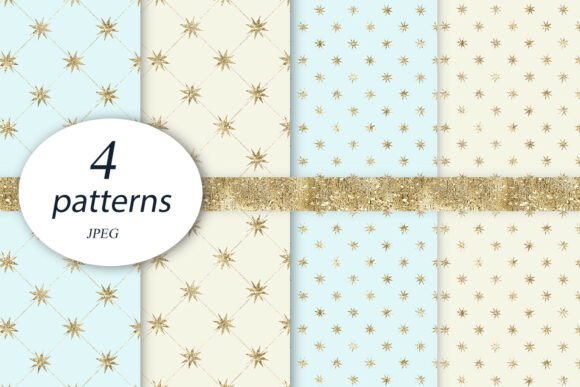
Winter Star Digital Papers: A Sparkle of Festivity for Your Creative Projects
As the holiday season approaches, many crafters and designers look for fresh, festive ways to elevate their projects. Whether you're making greeting cards, invitations, scrapbooks, or digital templates, the right background can make all the difference. That's where Winter Star Digital Papers come in — a set designed to bring warmth and charm to your winter-themed creations. Featuring four vibrant star patterns in red, green, orange, and black, these digital papers are more than just decorative; they’re a versatile tool for both print and digital crafting.
What Are Winter Star Digital Papers?
Winter Star Digital Papers is a downloadable collection of high-quality design assets perfect for adding seasonal flair. Each paper is sized at 12x12 inches and created at 300 DPI, ensuring crisp detail whether printed on cardstock or used in online materials. The set includes files in JPG, PNG, and PDF formats, giving users flexibility across platforms and purposes.
This product is ideal for anyone involved in creative work — from hobbyists who enjoy DIY crafts to professionals like marketers, bloggers, educators, and small business owners. It allows you to seamlessly incorporate holiday cheer into your designs without compromising quality or usability.
Common Mistakes When Choosing Digital Papers
While it might seem simple to pick out some festive digital papers, there are several common pitfalls that can lead to less-than-ideal results. Here are a few things to watch out for:
- Misjudging File Formats: Not all file types serve the same purpose. Using a JPG when a transparent PNG is needed, for example, can result in awkward white backgrounds in layered designs.
- Ignoring Resolution Requirements: Many people overlook the importance of resolution (DPI). If your project requires printing, low-resolution images will appear blurry or pixelated.
- Not Checking Dimensions: Assuming that 12x12 inch papers fit every layout is a mistake. Some projects may need different sizing, so it’s wise to confirm compatibility before finalizing your design.
These errors don’t just affect aesthetics — they can also impact the professionalism of your final output, especially if you're using these papers for client work, branding, or educational resources.
How to Use Winter Star Digital Papers Effectively
To get the most out of this set, consider how each pattern complements your theme. For instance, red and green stars work beautifully in traditional Christmas designs, while black stars might be better suited for elegant, minimalist themes or as overlays on photos. Orange adds a cozy, autumnal feel and works well for Hanukkah or New Year's Eve projects.
A practical tip is to pair these digital papers with subtle textures or gradients. This helps the stars stand out without overwhelming the rest of the design. For example, placing them over a soft cream or ivory background can create a warm, inviting look that’s perfect for holiday cards or social media posts.
Many users mistakenly apply the digital papers as full-page backgrounds without adjusting brightness or contrast. Instead, try reducing the opacity slightly or using blending modes in design software like Adobe Photoshop or Canva. This approach gives a more refined finish and ensures text or images placed on top remain legible.
Realistic Example: Creating a Holiday Greeting Card
Imagine you're designing a Christmas card for your blog or small business. You download one of the red star digital papers and immediately place it as the background. But after adding text, you notice it's hard to read due to the bright red color and busy pattern.
Better Approach: Overlay the red star paper with a semi-transparent white layer or a subtle gradient. This creates contrast for your text while still showcasing the festive design. Alternatively, use the paper as an accent panel rather than a full background, which keeps the focus on your message while maintaining visual interest.
Pitfalls in Downloading and Using Digital Paper Sets
Another overlooked issue is not reading the download instructions carefully. Some sets require unzipping folders or extracting specific files before use. If you skip this step, you might miss important elements or end up working with incorrect file versions.
Additionally, beginners often forget to save the original high-resolution files before editing. Always keep a backup copy in case you need to reuse the paper in another project or scale it up later. Editing directly on the source file can lead to irreversible quality loss.
If you're using these papers in printables or physical products, ensure your printer supports the chosen file format and color profile. Mismatched settings can cause colors to shift or become dull, ruining the intended festive look.
When Comparing Digital Paper Sets
It’s easy to be drawn in by flashy previews, but when comparing digital paper collections, it's important to go beyond visuals. Consider the following:
- Resolution: Look for papers that are at least 300 DPI. Lower resolutions won't hold up in print.
- File Format Variety: Having access to multiple formats like JPG, PNG, and PDF ensures you can use the papers in a wide range of applications.
- License Terms: Some digital papers have restrictions on commercial use or redistribution. Make sure the license fits your needs before purchasing.
- Design Versatility: A great digital paper should work across different themes and styles. Winter Star Digital Papers achieve this with their bold yet adaptable star motifs.
Things to Check Before Purchasing
Before committing to any digital paper set, including Winter Star Digital Papers, take a moment to review the details:
- Compatibility: Confirm the paper works with your design software and printing equipment.
- Use Case: Will it be used for personal projects, commercial prints, or online content? Different uses may require different licenses or formatting.
- Return Policy: Reputable sellers offer clear return policies in case the product doesn’t meet expectations.
- Customer Reviews: These provide insight into real-world performance and help identify potential issues others may have faced.
By checking these points, you’ll avoid buying something that ends up being unusable or unsuitable for your needs. Winter Star Digital Papers are designed with these factors in mind, but it's always good to double-check before downloading.
Why Winter Star Digital Papers Stand Out
Compared to generic holiday paper sets, Winter Star Digital Papers offer a focused aesthetic that’s easy to integrate into a variety of layouts. The clean lines and high contrast of the star designs make them particularly useful for backgrounds, headers, and page dividers in both digital and print formats.
Entrepreneurs and marketers might find these papers especially valuable when creating branded holiday content or promotional materials. Bloggers can use them to enhance their seasonal posts, while educators can add festive elements to classroom activities or printable worksheets.
The inclusion of multiple file formats makes these papers suitable for both print-based and web-based projects. Whether you're creating a PDF invitation to email or preparing a cardstock backdrop for a handmade gift tag, the right format is likely included in the set.
Pro Tip: Layering for Depth
One way to maximize the visual appeal of Winter Star Digital Papers is by layering them with other textures or patterns. Try combining a red star paper with a snowflake overlay for a wintry effect, or use the green version as a border around a photo collage.
Layering also helps prevent monotony. If you use the same star pattern throughout a project, it can feel repetitive. By varying placement, size, and transparency, you maintain visual interest while staying cohesive.
Final Thoughts on Design Choices
Choosing the right digital papers involves more than just picking the prettiest design. It requires understanding your tools, your audience, and the technical aspects of your medium. Winter Star Digital Papers are a solid choice because they combine quality, versatility, and ease of use — but only if handled correctly.
Remember to consider file formats, resolution, and licensing. Avoid common mistakes like ignoring dimensions or misusing file types. And most importantly, plan how each paper will function within your overall design — as a background, an accent, or a focal point.
With thoughtful application, these digital papers can transform your creative projects from ordinary to extraordinary. Whether you're a seasoned designer or just starting out, taking a moment to evaluate and prepare your materials will pay off in professional-looking results that capture the spirit of the season.